earn money, Technical knowledge, Technical knowledge, trading, Uncategorized

Buying Bitcoin is the most crowded trade; reminiscent of the 2018 crash

Experts are warning of a bubble building up in Bitcoins, especially considering the sudden spike in volatility and increasing institutional participation The latest global fund manager survey published by BofA Securities showed that buying Bitcoin is being viewed as the most “crowded trade”.

After Bitcoin’s massive rally in recent months, it is hardly surprising that this cryptocurrency is fast regaining its lost glory. From a low of $4,000 in mid-March last year, the price of the world’s first and most famous cryptocurrency has risen by nearly 900%.

Currently, Bitcoin is trading at $34,750. Long Bitcoin jumps to top with 36% of fund manager survey investors saying it is the most “crowded trade” dethroning “Long tech” for the first time since October 2019,” said the survey report. “Investors who have been tracking Bitcoins in the past would recollect that a similar rally in 2017 was followed by a crash. In 2017, Bitcoin rallied from the low of around $790 to a peak of $1,9041 in December. Interestingly, in the December 2017 BofA survey, Bitcoin topped the list of most crowded trades.

In 2018, it crashed by 74%. Even now, many experts have been warning of a bubble building up in Bitcoins, especially considering the sudden spike in volatility and increasing institutional participation. “Most cryptocurrencies are notoriously volatile, and the increase in institutional participation may be making things worse.

While demand would increase and volatility ease should corporations hold Bitcoin for business purposes, the opposite is true when institutions gain exposure for speculative purposes. Empirical evidence from other asset classes suggests that higher participation by institutional investors could increase volatility due to their more opportunistic investment approach,” Michael Bolliger, chief investment officer, global emerging markets, UBS Switzerland AG said in a report on 14 January.

Ultimately time will tell what holds true for Bitcoin investors but those in the bullish camp see further upside. For instance, according to JPMorgan Chase & Co, Bitcoin has the potential to reach $146,000 in the long term as it competes with gold as an asset class. Posted by Technical Mechzone

Join telegram http://@Technicalmechzon.

Twitterhttp://@Technicalmechz2

Technical knowledge, Technical knowledge

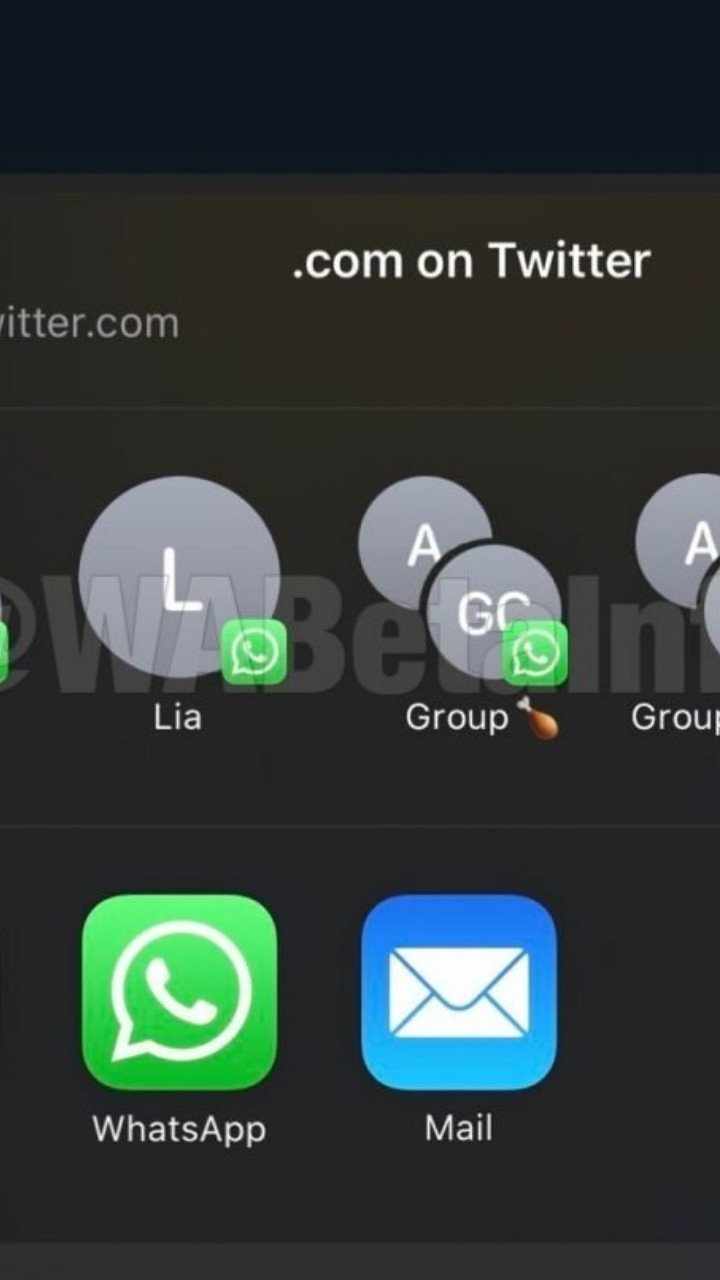
How to manage your contacts on the WhatsApp Share Sheet for iOS WhatsApp offers the support to show your WhatsApp contacts on the iOS share sheet. In this article we explain how to manage these contacts, and how to fix all issues that may occur. WhatsApp allows to show your contacts and groups on the iOS share sheet on iOS 13.6 and newer updates. But is there a way to manage your contacts and groups there? Definitely yes. Add a new contact: You can add a new contact on the share sheet simply sending a message to that specific contact. WhatsApp automatically adds contacts and groups in the share sheet every time there is a new outgoing message in the chat. Note that Screen Lock, in WhatsApp Settings > Account > Screen Lock must be disabled. Remove a contact: If you don’t like to see a specific contact in the share sheet, you have two possibilities, based on which iOS version you’re on: iOS 13: you can remove him blocking and unblocking that contact. WhatsApp automatically removes contacts from the share sheet every time the user is blocked. Note that the contact will be added again every time you chat with him. For groups there isn’t actually a fast way (excluding the possibility to exit from the group). We understand it’s very uncomfortable, but it’s the only way on iOS 13. iOS 14: tap and hold the contact/group on the share sheet and you can remove it. Remove all contacts: You can remove all contacts simply enabling Screen Lock. For privacy reasons, WhatsApp automatically removes all contacts from the share sheet every time you enable Screen Lock. Sometimes the iOS share sheet has issues and WhatsApp contacts doesn’t appear or they do nothing. How to fix? WhatsApp contacts are disappeared: This likely happens after updating your WhatsApp version from the App Store. You have to open WhatsApp and every time you send a new message in a chat, WhatsApp starts to populate the share sheet again. Nothing happens when selecting contacts: The reason is the same above mentioned: just open WhatsApp again after an update and they should start working. If this doesn’t fix the issue, send manually a message to a contact (to update the contact in the share sheet) and try again. If the issue isn’t fixed yet, block and unblock the contact to remove it from the share sheet (because it might be a “bad shortcut”), send a message to that contact and it should work. Some people have also reported that restarting the iPhone definitely helps to fix this bug, because WhatsApp extensions are reloaded. Contacts never appear in the share sheet: As mentioned above, when Screen Lock is enabled, WhatsApp doesn’t add contacts in the share sheet, for privacy reasons. You have to disable Screen Lock if you would like to see them there. Unfortunately you cannot have Screen Lock enabled and contacts in the share sheet at the same time. Posted by Technical MECHZONE